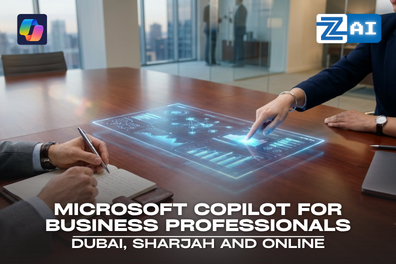
Microsoft Copilot [AI] for Business Professionals Course in Dubai, Sharjah and UAE
Course Overview
The Microsoft Copilot Course at Zabeel Institute is a practical, hands-on training program designed to help professionals, students, managers, and organizations maximize productivity using Microsoft Copilot AI within Microsoft 365. As artificial intelligence transforms modern workplaces, professionals who can effectively use AI tools gain a significant advantage in communication, reporting, collaboration, data analysis, and business decision-making.
Unlike generic AI learning programs, this Copilot AI Training Course emphasizes real business applications through hands-on exercises, department-specific case studies, and productivity scenarios relevant to HR, Finance, Sales, Marketing, Operations, Administration, and Executive Management.
Whether you are looking to improve workplace productivity, accelerate digital transformation, or prepare for AI-enabled roles, this comprehensive Microsoft Copilot Certification preparation program equips you with practical skills that can be applied immediately. If you are seeking a career-focused Microsoft Copilot Training Course or professional MS Copilot Training in UAE, this program provides the knowledge and confidence to work smarter with AI every day.
Contact Us ➔ Get Course Details ➔ Visit Our Institute ➔ Course Consultation ➔ Enroll ➔ Orientation ➔ Attending Classes ➔ Certification ➔ Career Ready ➔ Contact Us ➔ Get Course Details ➔ Visit Our Institute ➔ Course Consultation ➔ Enroll ➔ Orientation ➔ Attending Classes ➔ Certification ➔ Career Ready ➔
Detailed Course Content
Understanding AI in the Workplace
What is Generative AI?
What is Microsoft Copilot?
How Copilot works within Microsoft 365
Benefits and limitations
Microsoft Copilot Ecosystem
Microsoft 365 Copilot
Copilot Chat
Copilot Studio overview
Business applications of Copilot
Practical Exercise
First interaction with Copilot
Exploring Copilot features
Fundamentals of Prompting
How AI understands instructions
Components of an effective prompt
Prompt Frameworks
Role-Based Prompting
Task-Oriented Prompting
Context-Based Prompting
Practical Exercises
Creating business prompts
Improving prompt quality
Generating better outputs
Business Prompt Templates
Email writing
Report generation
Meeting summaries
Content creation
Content Creation
Drafting documents
Writing proposals
Creating reports
Preparing policies and procedures
Content Enhancement
Rewriting text
Improving tone
Summarizing long documents
Translating content
Practical Exercises
Generate a business proposal
Create a policy document
Summarize a lengthy report
Data Analysis
Understanding datasets
Identifying trends
Generating insights
Productivity Features
Formula generation
Data visualization
Creating charts
Building reports
Practical Exercises
Sales data analysis
Budget forecasting
KPI dashboard creation
Presentation Creation
Creating presentations from documents
Building slides automatically
Generating speaker notes
Design Enhancement
Visual improvements
Slide summarization
Presentation restructuring
Practical Exercises
Create executive presentation
Convert Word document into PowerPoint
Generate presentation outline
Email Productivity
Drafting professional emails
Email summarization
Tone adjustment
Follow-up email creation
Communication Management
Prioritizing messages
Creating responses
Managing inbox efficiently
Practical Exercises
Draft client communication
Summarize email threads
Create response templates
Meeting Intelligence
Meeting preparation
Agenda generation
Real-time assistance
Post-Meeting Productivity
Meeting summaries
Action items
Decision tracking
Collaboration Features
Team communication
Knowledge retrieval
Follow-up management
Practical Exercises
Generate meeting minutes
Create action plans
Summarize discussions
HR Department
Job descriptions
Employee communications
Policy drafting
Training documentation
Finance Department
Financial reporting
Budget analysis
Variance analysis
Sales Department
Proposal creation
Sales reports
Customer communication
Marketing Department
Campaign content
Social media content
Marketing plans
Operations Department
SOP development
Process documentation
Performance reporting
Responsible AI
Data privacy
Confidential information handling
Compliance considerations
Best Practices
Verification of AI outputs
Avoiding AI mistakes
Human oversight
Organizational Adoption
AI policies
Employee guidelines
Copilot implementation roadmap
Participants will practice:
Writing business emails
Creating reports
Building presentations
Analyzing Excel data
Summarizing meetings
Generating policies
Creating SOPs
Producing marketing content
Automating routine tasks
Microsoft Applications
Microsoft Copilot
Microsoft Word
Microsoft Excel
Microsoft PowerPoint
Microsoft Outlook
Microsoft Teams
Microsoft OneDrive
Optional Advanced Exposure
Microsoft Copilot Studio
Microsoft Power Automate
Why Study Copilot AI Mastery?
•Learn practical Microsoft Copilot skills that improve productivity across Microsoft 365 applications.
•Master AI prompting techniques to generate accurate, professional, and business-ready outputs.
•
Automate repetitive workplace tasks to save valuable time and increase efficiency.
•Apply Microsoft Copilot across HR, Finance, Sales, Marketing, Operations, and Administration.
•Understand responsible AI, data privacy, governance, and secure workplace AI practices.
•
Build future-ready digital skills through an industry-focused Microsoft Copilot Course with hands-on learning.
Who Is This Course For?
•Business professionals & Entrepreneurs seeking to improve productivity using Microsoft Copilot.
•Managers, executives, and team leaders leading AI-enabled workplaces.
•
Students and graduates preparing for modern digital careers.
•HR, Finance, Sales, Marketing, and Operations professionals using Microsoft 365.
•Administrative professionals managing documents, emails, meetings, and reports.
•
Organizations implementing AI adoption through a professional Microsoft Copilot Training Course.
Why Choose Zabeel Institute?
•Certified Instructors: Learn from AI-certified professionals with industry experience.
•Flexible Scheduling: Choose weekday, weekend, or online AI classes that suit your availability.
•Industry-Relevant Curriculum: Updated with the latest AI tools, frameworks, and best practices.
•Official Certifications: Zabeel Certificate will be provided after course completion. KHDA Attendance Attested Certificates are available for courses.
•Hands-On Training: Practical instructor-led training focused on real business use cases using Microsoft Word, Excel, PowerPoint, Outlook, and Teams.
Zabeel Institute has been a leading professional training provider in the UAE since 1988, trusted by corporate and individual learners across Dubai, Sharjah, and Online.
Learning Outcomes
•Create effective AI prompts for professional business tasks using Microsoft Copilot.
•Generate reports, proposals, presentations, and business documents faster with AI.
•Analyze Excel data, identify trends, and create insights using Microsoft Copilot AI.
•Improve communication through intelligent email drafting, meeting summaries, and collaboration tools.
•Integrate responsible AI practices and governance standards into business solutions.
•
Automate routine business processes and enhance workplace productivity across Microsoft 365.
•Apply responsible AI practices while preparing confidently for Microsoft Copilot Certification.
Career Outcomes
Certification & Pass Rate
Upon successful completion of the Microsoft Copilot Training Course, participants will receive a Certificate of Completion from Zabeel Institute. This certificate validates your practical understanding of Microsoft Copilot AI, AI-powered workplace productivity, prompt engineering, business communication, document automation, reporting, collaboration, and Microsoft 365 AI tools.
At Zabeel Institute, our training methodology focuses on practical learning, instructor guidance, hands-on projects, and real business scenarios rather than theory alone. Participants receive continuous support throughout the Microsoft Copilot Training Course, enabling them to confidently apply Microsoft Copilot in everyday workplace situations.
Course Deliverables
Participants will receive:
Course Handbook
Copilot AI Prompt Library
Business Prompt Templates
AI Productivity Toolkit
Practical Exercises and Case Studies
Certificate of Completion
Corporate Training Courses
Zabeel Institute offers customized corporate Microsoft Copilot Training Course solutions for organizations looking to accelerate AI adoption, improve employee productivity, and maximize their Microsoft 365 investment. Whether your organization is beginning its AI transformation journey or expanding enterprise-wide AI adoption, Zabeel Institute's MS Copilot Training in UAE provides practical, business-focused learning that delivers measurable productivity improvements and supports long-term digital transformation initiatives.
Microsoft Copilot is rapidly becoming an essential workplace AI assistant for Microsoft 365 users. Learning Microsoft Copilot helps professionals automate repetitive tasks, improve productivity, analyze data, create business documents faster, and work more efficiently with AI.
Is Microsoft Copilot difficult to learn?+
No. Microsoft Copilot is designed for business users rather than programmers. With structured hands-on training, beginners can quickly learn how to write prompts, generate content, summarize information, and automate everyday business tasks.
What will I learn in the Microsoft Copilot Training Course?+
The course teaches you how to use Microsoft Copilot with Word, Excel, PowerPoint, Outlook, Teams, and OneDrive. You'll also learn prompt engineering, AI-assisted reporting, meeting summaries, business automation, and responsible AI practices.
Does Microsoft Copilot work with Microsoft Word, Excel, PowerPoint, Outlook, and Teams?+
Yes. Microsoft Copilot is integrated into Microsoft 365 applications, allowing users to draft documents, analyze spreadsheets, create presentations, manage emails, summarize meetings, and collaborate more effectively.
Is this Microsoft Copilot Course suitable for beginners?+
Yes. The Microsoft Copilot Course is designed for beginners, working professionals, managers, and students. No coding or AI development experience is required—only basic familiarity with Microsoft Office applications.
How can Microsoft Copilot improve workplace productivity?+
Microsoft Copilot reduces manual work by helping users write emails, prepare reports, analyze business data, create presentations, summarize meetings, generate content, and automate routine tasks, allowing more time for strategic work.
What industries can benefit from Microsoft Copilot training?+
Microsoft Copilot is valuable across industries, including finance, HR, healthcare, education, retail, logistics, marketing, sales, government, customer service, consulting, and corporate administration.
Will I receive a certificate after completing the Microsoft Copilot Course?+
Yes. Participants who successfully complete the Microsoft Copilot Training Course receive a Certificate of Completion from Zabeel Institute, demonstrating practical skills in Microsoft Copilot, AI productivity, and workplace automation.
Can businesses arrange Microsoft Copilot training for employees?+
Yes. Zabeel Institute offers customized corporate Microsoft Copilot Training Courses for organizations. Programs can be tailored for specific departments, business processes, and AI adoption goals to improve employee productivity and collaboration.
Why choose Zabeel Institute for Microsoft Copilot Training in Dubai?+
Zabeel Institute provides practical, instructor-led Microsoft Copilot training with hands-on exercises, real business case studies, experienced trainers, flexible schedules, and industry-relevant learning designed to help professionals confidently apply AI in the workplace.